How To Appear In Court Via Video Conference: A Comprehensive Guide To Virtual Court Proceedings In India
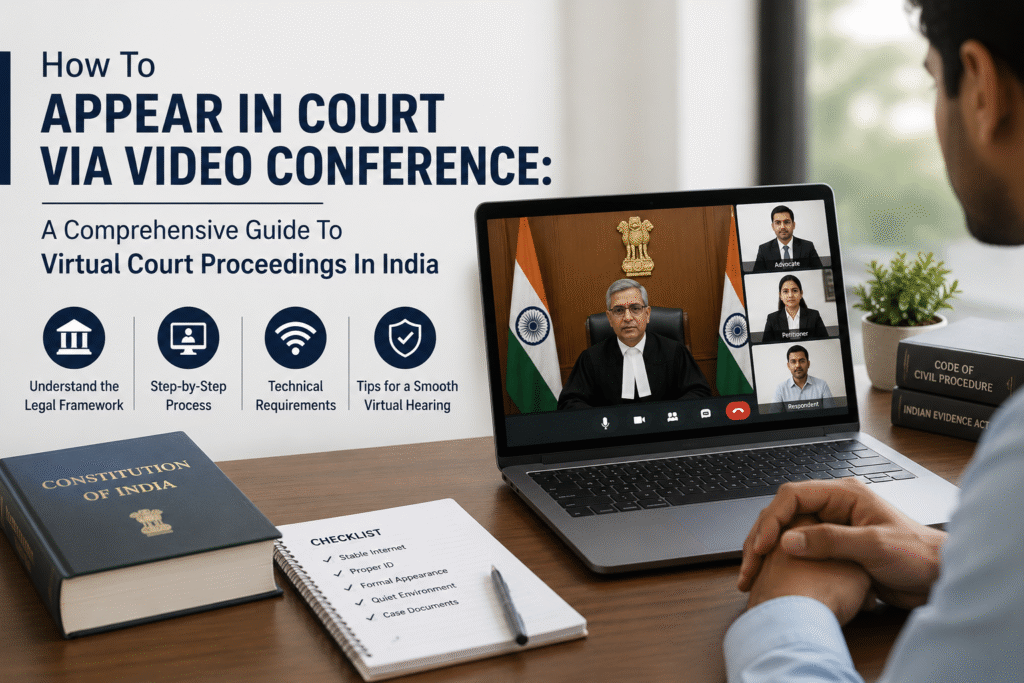
Overburdened with nearly 23 million pending cases, the Indian judiciary has sought succor in technology to speed up justice delivery. Video conferencing has become a game-changing tool that, with the COVID-19 pandemic, has surged forward and allowed the conduct of courts while maintaining the sanctity and accessibility of the courts.
This research article considers the procedural, legal, and practical aspects of appearing in court via video conference in India. It traces the historical evolution of virtual court proceedings, analyzing the constitutional and statutory framework comprising Article 142 of the Constitution, Section 273 of the CrPC, Order 18 of the CPC, and the Model Video Conferencing Rules, 2020. The study provides a detailed, step-by-step procedural guide to be followed by legal practitioners and litigants on professional conduct, technical requirements, and courtroom etiquette in virtual settings.
This article considers the general technical and communicational challenges naturally arising in video conferencing and provides possible practical solutions. It establishes the legal validity of evidence through video conferencing based on the analyses of landmark judgments such as State of Maharashtra v. Praful B. Desai (2003) and Swapnil Tripathi v. Supreme Court of India (2018). The research identifies various scenarios requiring legal assistance from the beginning of any virtual procedure, which includes procedural complexities, technical failure, and confidentiality concerns.
The findings indicate that video conferencing not only reduces the burden on courts and witnesses but also provides a cost-effective alternative to physical appearances, especially for witnesses who reside in distant locations or those who are at risk. The study concludes that though virtual court proceedings bring several challenges, they represent important moves toward accessible, efficient justice delivery in India.
INTRODUCTION
With approximately 23 million pending cases from trial courts to the Supreme Court, the judicial process in India, as a multi-step process, is slower than eminently. The litigation process includes filings of concerned documents, examination of witnesses, cross- examinations, etc., which is a time-consuming procedure in getting a decision from the court. Recording statements of witnesses is one of the most time-consuming tasks in a court process. It is difficult to bring a witness to court who resides in a different city, and in some cases of crime, a witness does not want to come down to the court because of safety concerns. To overcome this issue, Indian courts have initiated the use of the assistance of technology, with video conferencing being one of the technological advancements. As part of the broader framework of virtual court access rights, this shift enhances public accessibility and ensures smoother judicial functioning.
This article explains how legal proceedings take place through video conferencing and provides except step-by-step process to appear in court via VC, highlights some common problems and solutions, and also discusses when to seek legal help.
HISTORICAL BACKGROUND
In the past pandemic of COVID-19, video conferencing is business as usual & Indian courts are embracing video conferencing as an important step to keep the judiciary going and to enable the practice of social distancing as a compulsory safety protocol for everyone, now, most courts do not have physical appearances and have begun utilizing video conferencing technology to aid and to some extent the delivery of justice.1
Video conferencing is one of the most useful products of this age of technology that has facilitated audio and visual interaction between two or more individuals at different points. The application of video conferencing in Indian courts can not only lighten the burden of investigators and judges but also serve as a cost-friendly alternative for the witnesses who have to travel from another city to present themselves before the court.
Some legal bases of video conferencing in India are:
– Article 142 of the Constitution sanctions the Supreme Court to pass orders for complete
-In 2020, the Supreme Court’s E-committee provided model rules on video conferencing and model rules for live-streaming and recording of court proceedings to govern these
In the landmark judgement, the Supreme Court recognized the Live Streaming of Court proceedings and enhanced public access to justice.
-The high courts also issued their own
-Section 273 of the CrPC and Order 18 of CPC have been interpreted to allow virtual evidence recording.
In the landmark judgement, the Honourable Supreme Court held that recording evidence through video conferencing is acceptable.
STEP BY STEP PROCEDURE TO APPEAR VIA COURT CONFERENCE
Court appearance through videoconference is a relatively new procedure, and there are no established rules or accepted procedures to go on this point. I believe common sense and practical experience can be employed to ensure you present your best case when pleading our clients as well as judges over videoconference.
1. Your professional attire
It’s convenient common sense that you must dress well enough for the online hearing, at least on the upper half of your body, as that’s what will be visible on the screen. wear a white shirt or a black overcoat, and this goes for both. This can make such an enormous difference. By doing so, your appearance will not take away from the argument you’re making. And if your client is also required to attend the hearing, do not forget to remind your client to dress appropriately.
2. Say your ROLE in your login name
This is quite important because the judge is also reading your name to address you; therefore, if your ROLE is also stated there, it will facilitate him/her to identify you properly.
For instance, Mahesh Moorthy is, lawyer for the defendant. If the client is also joining over videoconferencing, the client must also employ the same naming convention, i.e., Ajay Mishra defendant. By following this, it automatically becomes apparent to all participants attending the hearing who you are and what you represent, hence providing better clarity and ensuring that the proceeding proceeds smoothly.
3. Login Early
As the actual court, all of us are waiting in front of the hon’ble judges’ arrival in the court. Likewise, it is good practice for both you and your client to log in for the hearing a couple of minutes in advance. By doing so, if you encounter any technical problem while logging in, you will have time to rectify it.
4. Be careful about your language
As a lawyer, you would be aware that court craft is all about your body language, and also for your clients to the same extent, even when you are on a videoconference. For the first-time user, it will be tough to adopt, i.e., staring straight at the camera when you talk. Also, during the video conference, do not any sort of multitasking. You should have your hands away from your face and face as neutral as possible. Your facial expressions are more easily recognized in videoconference, and you do not want any expression being misinterpreted by the judge! Ensure that you pass on these tips to your clients who may also be appearing in the hearings.
5. Your background in the video
It is most overlooked in a video conference, and that is the most disturbance-creating reason as well. Always make sure of your background before joining the videoconferencing session. If you are in your room, then be cautious of what is behind you and how it will look to the judges during the hearing. Make sure there are no distractions like reflections of lights or the sunlight coming directly on the background behind you. You can also use a background image in the videoconferencing software, typically now included in all of them, and if you use a background, ensure that you have a professional-looking background, such as a bookshelf, etc.
6. Use a good quality headset
As a tech company, we recommend avoiding the use of your computer’s audio. You should use a good quality headset, and if it’s Bluetooth, ensure that you have paired it with your device well in advance of the video hearing. We also recommend having a wired standby in case Bluetooth does not work for some reason, such as not being charged sufficiently, a pairing problem, etc. A headset enables you to maintain the confidentiality of clients and enjoy good sound quality overall. It is a very crucial etiquette to mute yourself whenever you are not talking, i.e., keep your mic switch off so that there is no unwanted sound/noise which might cause distraction. This guideline also holds true for your clients participating in the videoconference hearing.
7. Pre-talk with your client
If your client will be participating in the virtual court hearing, make sure that your client understands how the videoconference hearing works and that all participants can hear what’s being said if you’re not muted. Explain the importance of confidentiality and how it is critical to avoid sharing confidential information or having confidential discussions during the appearance.
8. Do technical checks of your camera & microphone
Technically verify your computer system before going live on videoconferencing. It is advisable to conduct a mock exercise before going live for your live hearing, and most importantly, counsel your client also to verify their computer system thoroughly. If you are using videoconferencing software for the first time, ensure it is compatible with your laptop/mobile or desktop and download the software before the scheduled conference. Advise your client to do the same.
COMMON PROBLEMS & SOLUTIONS
1. Technical challenges
Problem:
Virtual court hearings are entirely dependent on technology. Some of the common problems are slow internet connectivity, equipment failure, and the participants not being familiar with the video conferencing system.
Solution:
Pre-hearing checks: participant must check their device, audio, video, and internet connection in time in advance.
Backup plan: Have a backup source of internet available.
Court support: court personnel or IT cells must be on hand to provide troubleshooting support.
Practice runs: lawyers and Litigants new to the platform should conduct a brief mock session.
2. Online presentation and communication challenges
Problem:
Web pages make it harder to decipher body language and identify nonverbal cues. There is also a possibility of miscommunication due to laggy video, frozen screens, or audio loss. This may affect the standard questioning process, cross-examination, and courtroom interaction.
Solution:
Speak slowly and clearly with occasional pauses to avoid overlapping speech. Use good visual cues.
Have documents and submissions to avoid lag time.
Judges and lawyers may undergo brief training to adjust their observation and questions.
FAQs
Q1. Can evidence be recorded via VC?
Yes, evidence can also be recorded through VC upon a specific direction of the Court or on a request made by a party or witness. The procedure for recording evidence is prescribed in Chapter III of the Rules.
Q2. What are the timings for the conduct of VC hearings?
As per the Rule, VC hearings shall ordinarily take place during the Court hours (Indian Standard Time).
Q3. Who hosts VC hearings?
VC hearings shall be hosted by the Information Technology Department (`IT Department’) of the High Court using the approved/designated Video-Conferencing software. The hearings shall be conducted through the Coordinator at the Court Point and, if required, a Coordinator at the Remote Point.7
Q4. Can VC be conducted through Zoom, WhatsApp, TeamViewer, Google Duo, or any other software/app?
No. VC hearings can be conducted only through the designated application/software.
Q5. Are persons who are not parties to the case allowed to view the proceedings conducted through VC?
As per the Rule, members of the public will be allowed to view Court hearings conducted through VC, except proceedings ordered for reasons recorded in writing to be conducted in-camera.
Q6. Can the links provided be shared with other persons?
No, the links provided cannot be shared.
Q7. How shall the Court be addressed?
All courtesies and protocols applicable to a physical Court shall apply to the VC/ virtual proceedings as identified in Schedule I of the Rules. Judges in the High Court would be addressed respectfully as `Your Honour’ or `Madam/Sir’ as is usually done in Court.
Q.8 How are the Officers/ Advocates to be addressed?
The Bench Officers or Court Masters shall be addressed by their designation. Advocates shall be addressed as Learned Counsel or Senior Counsel.
CONCLUSION
Video conferencing is one of the most important products of this technological age that has permitted audio and visual communication between two or more persons at individual locations. The use of video conferencing in Indian Courts has the capacity to reduce the workload of investigators and judges, and also acts as a remunerative solution for the witnesses who are required to travel from another city to take part in court proceedings. As part of ongoing access to justice reform, virtual hearings enable smoother, faster, and more inclusive participation in the judicial system. Evidence can be submitted before the courts by the way of video conference or other electronic means.
Written by Smriti Sharma,
Legal Intern at Sandhu Law Offices,
BA LLB, Jiwaji University, Gwalior.

SANDHU LAW OFFICES
© 2026 Sandhu Law Offices